Challenge #6

Am I Failing or Winning? 🎓📉

18

Challenge Summary

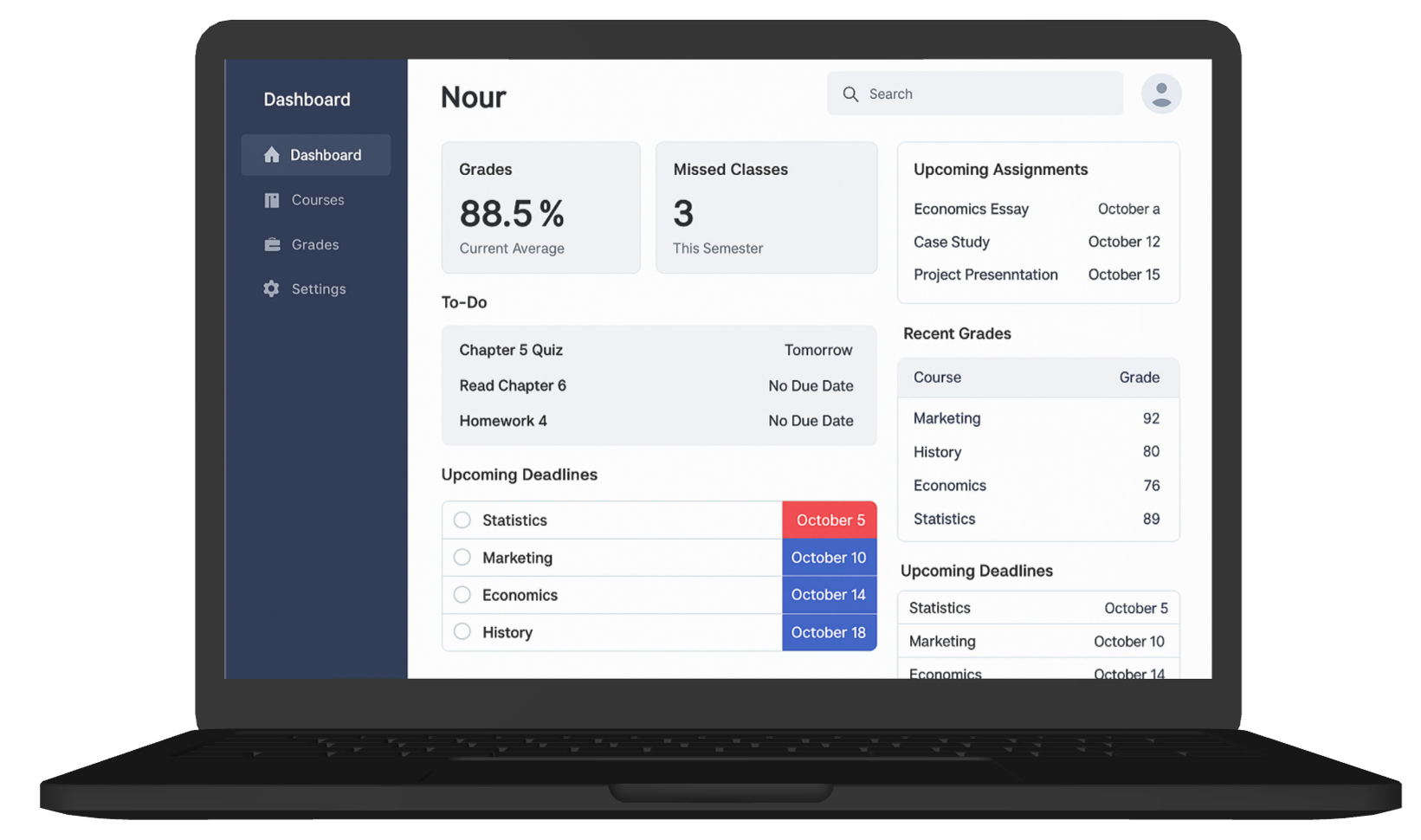
The student dashboard is packed with numbers but leaves learners confused about their actual performance.
Grades, attendance, assignments, deadlines, and messages are all visible — yet students can’t easily tell how they’re doing overall. There’s no clear feedback loop or visual priority. As a result, even good students feel unsure or overwhelmed.

Tags :

Dashboard Clarity
Motivation & Feedback
Information Hierarchy
Cognitive Overload
Education UX

Platform :

Web

Estimated Time :

60 Minutes

Hear The People

Insights from users, clients, and stakeholders that shaped the experience.

The User says

I check the dashboard every week, but I never know if I’m on track or falling behind. I see grades, but I don’t know what’s missing or how important things are.

The Client says

We want the dashboard to “show everything” so students feel informed — but we’re hearing it causes stress instead of clarity. We don’t want to remove data, just improve understanding.

Company Constraints

No removing widgets or data sources — all must remain on the screen.. No cartoon visuals allowed (university tone).. Must work in both light and dark mode

Target User Persona

Defining the real people behind the screens.

Nour, 20, Business Student – Alexandria

  • Self-motivated but easily overwhelmed by dense UIs

  • Uses the dashboard 3–4x a week

  • Prioritizes deadlines and grades

  • Wants fast insights and clear alerts on what needs action

Heat Map

c#6

Brand Colors

A curated palette aligned with the brand’s identity, tone, and accessibility needs.

rgb(44,62,80)
rgb(52,152,219)
rgb(231,76,60)
rgb(26,26,26)

User Reviews

Real feedback from users — highlighting wins, pain points, and opportunities.

User 1

It’s all info, but no insight.

User 2

I wish it highlighted what matters now.

User 3

Looks smart but doesn’t guide me.
Learning Objectives
  • Practice crafting clarity-focused dashboards with data overload

  • Improve student self-guidance and motivation using UX

  • Establish strong visual hierarchy and task-oriented feedback

  • Balance functionality and emotion in academic environments

Join to Hundreds of Designers

Submit your answer on Linked In using hashtag #uxforces