challenge #4

Overwhelmed Dashboard 🤯📊

49

Challenge Summary

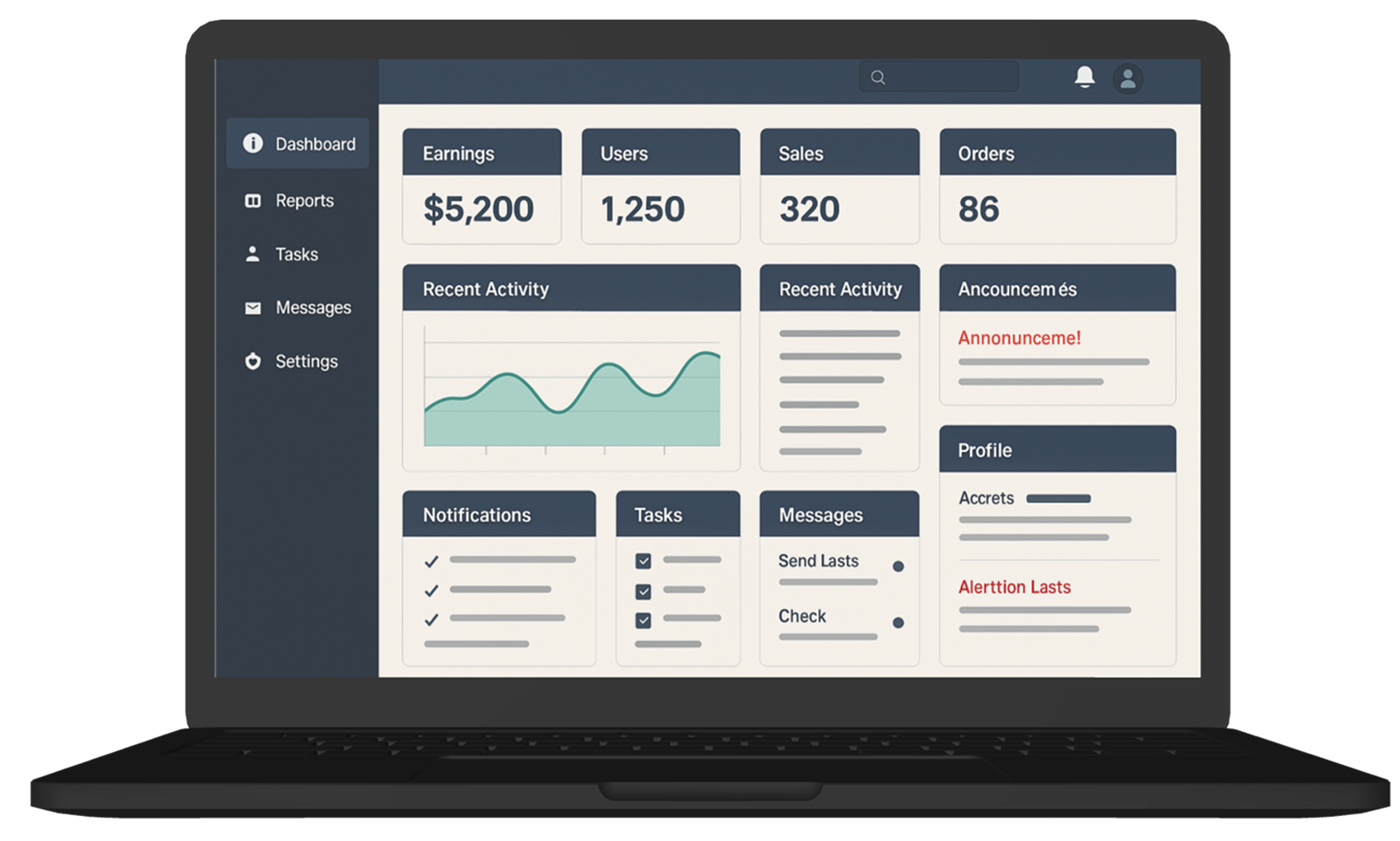
The homepage dashboard tries to show everything… and ends up showing nothing.
Users land on a page crammed with widgets, stats, charts, alerts, and quick actions. While all the data is technically useful, there’s no clear entry point, no flow, and no sense of priority. Users feel overwhelmed and often ignore most of it — or bounce completely.

Tags :

Information Overload
Poor Layout Hierarchy
Dashboard Design
No Focus
Low Engagement

Platform :

Web

Estimated Time :

60 Minutes

Hear The People

Insights from users, clients, and stakeholders that shaped the experience.

The User says

Every time I log in, I see this wall of graphs and numbers. I don’t know what’s important. I just click around randomly or skip it altogether.

The Client says

We want our users to feel like everything they need is right there when they log in. So we added stats, alerts, reports, and notifications all to the dashboard — but engagement is dropping.

Company Constraints

All widgets must stay on the dashboard, but you can rearrange, hide, or group them, No custom illustrations allowed, Fonts and brand elements (logo, sidebar layout) must remain unchanged.

Target User Persona

Defining the real people behind the screens.

Mona, 31, Giza

  • Operations manager who checks the dashboard every morning

  • Wants a quick sense of what needs attention

  • Often in a rush and multi-tasking

  • Prefers summaries with drill-down options rather than raw data

Heat Map

c#4

Brand Colors

A curated palette aligned with the brand’s identity, tone, and accessibility needs.

rgb(52,73,94)
rgb(46,204,113)
rgb(231,76,60)
rgb(44,62,80)

User Reviews

Real feedback from users — highlighting wins, pain points, and opportunities.

User 1

Looks powerful but hard to know where to start.

User 2

I scroll past everything. It’s just too much.

User 3

Helpful tools, just badly organized.
Learning Objectives
  • Learn how to prioritize information in data-heavy interfaces

  • Practice designing scannable, task-driven dashboards

  • Apply grouping, layout, and progressive disclosure to reduce visual overload

  • Explore information hierarchy without removing any critical content

Join to Hundreds of Designers

Submit your answer on Linked In using hashtag #uxforces